Clever Parrots
Install Plan Parrot on Your Device
Follow these simple steps to add Plan Parrot to your home screen and use it like a native app!
iOS (iPhone & iPad)
Open in Safari
Make sure you're using Safari browser (not Chrome or other browsers). Open the Plan Parrot website in Safari.
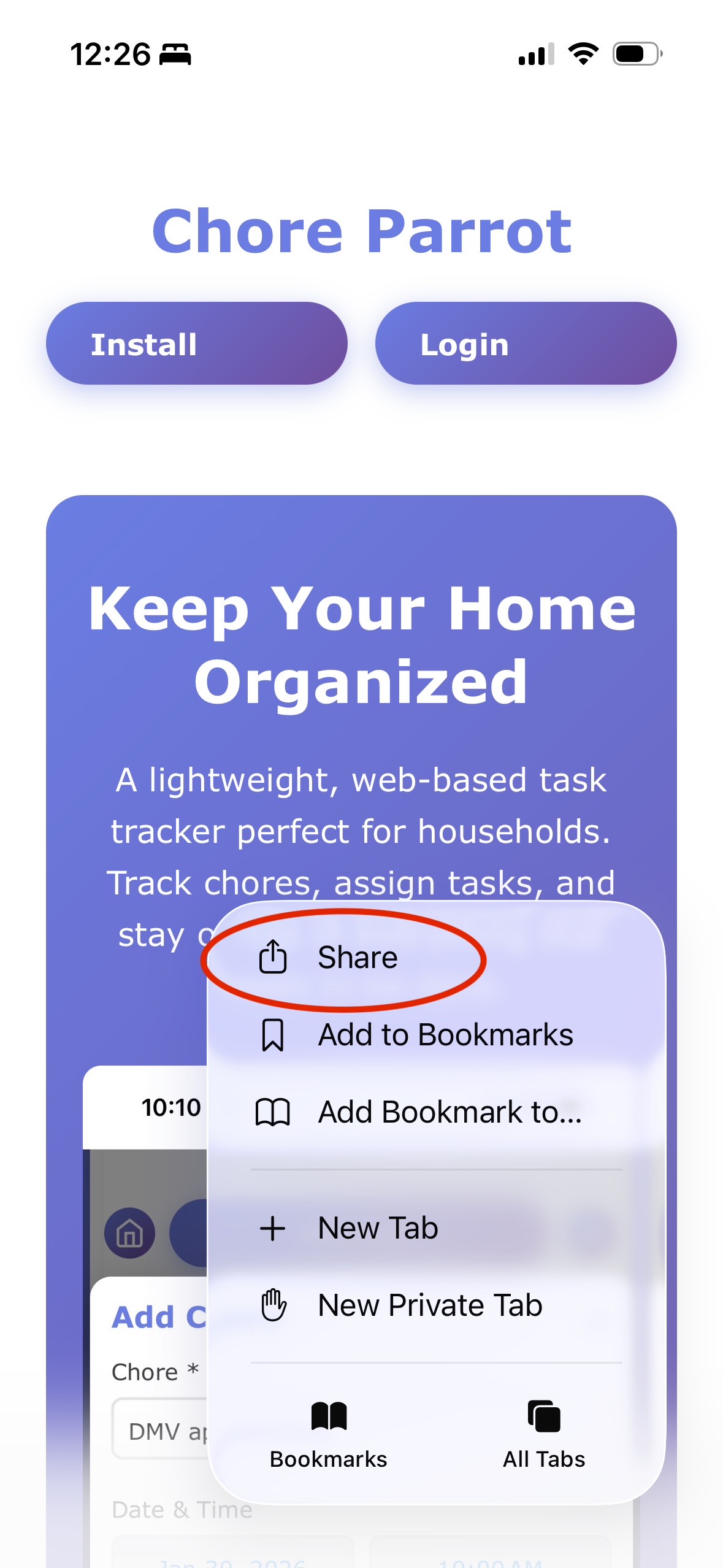
Tap the Share Button
Click the three-dot menu icon at the bottom right of the Safari screen, then look for the Share button and tap it.
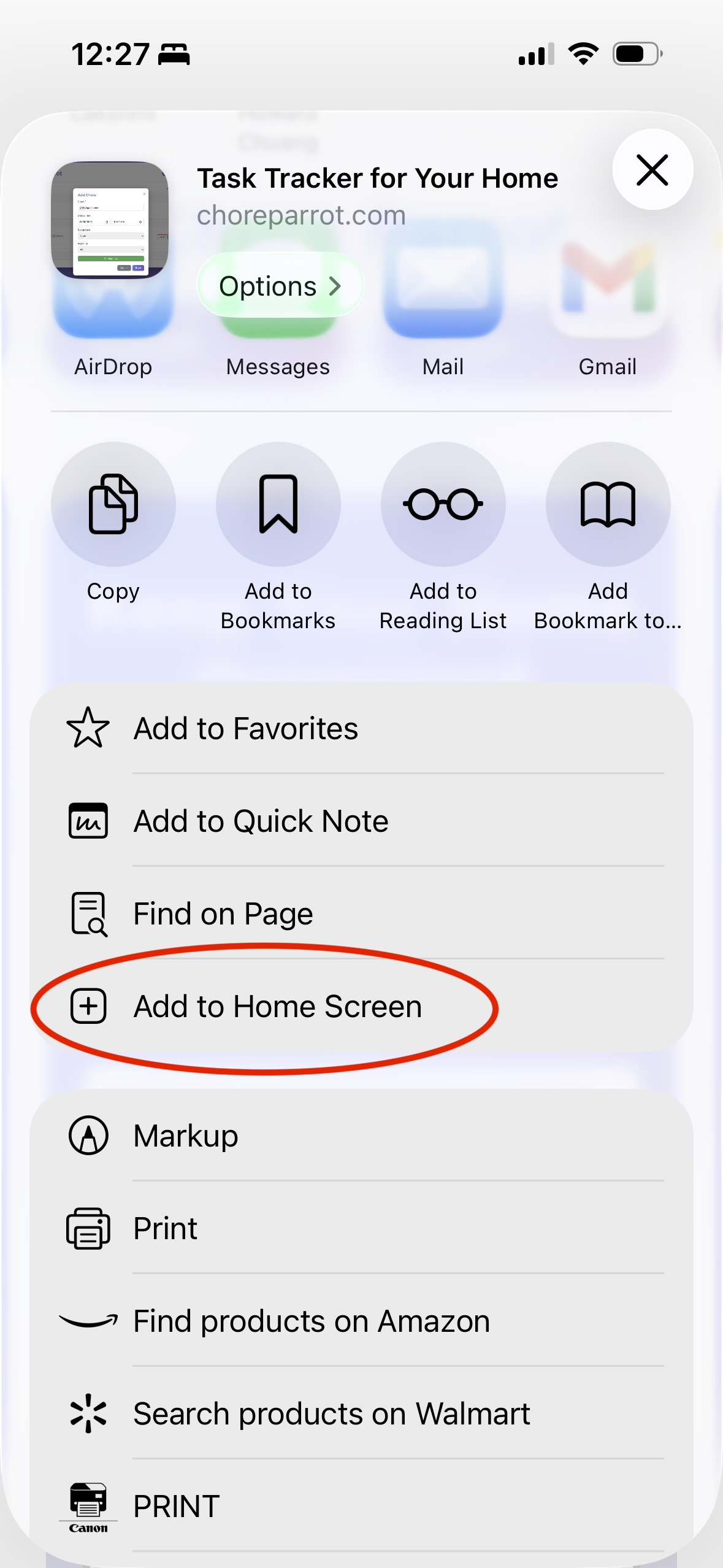
Find "Add to Home Screen"
In the share menu that appears, scroll down to find the "Add to Home Screen" option.
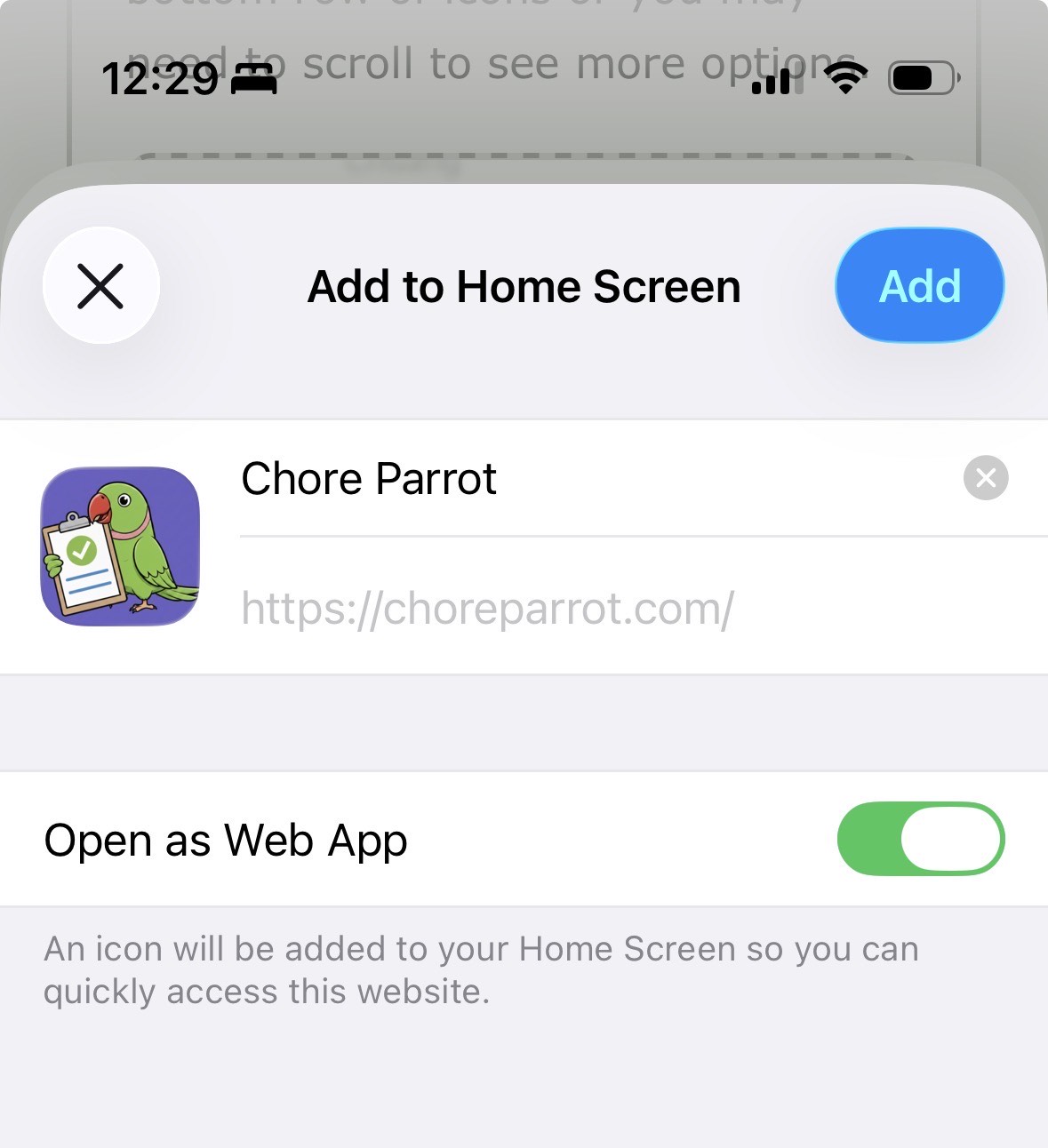
Customize and Add
You'll see a preview screen where you can customize the name if you want. Tap "Add" in the top right corner.
Done!
Plan Parrot will now appear on your home screen. Tap it to open the app anytime!
Android
Open in Chrome
Open the Plan Parrot website in Chrome browser.
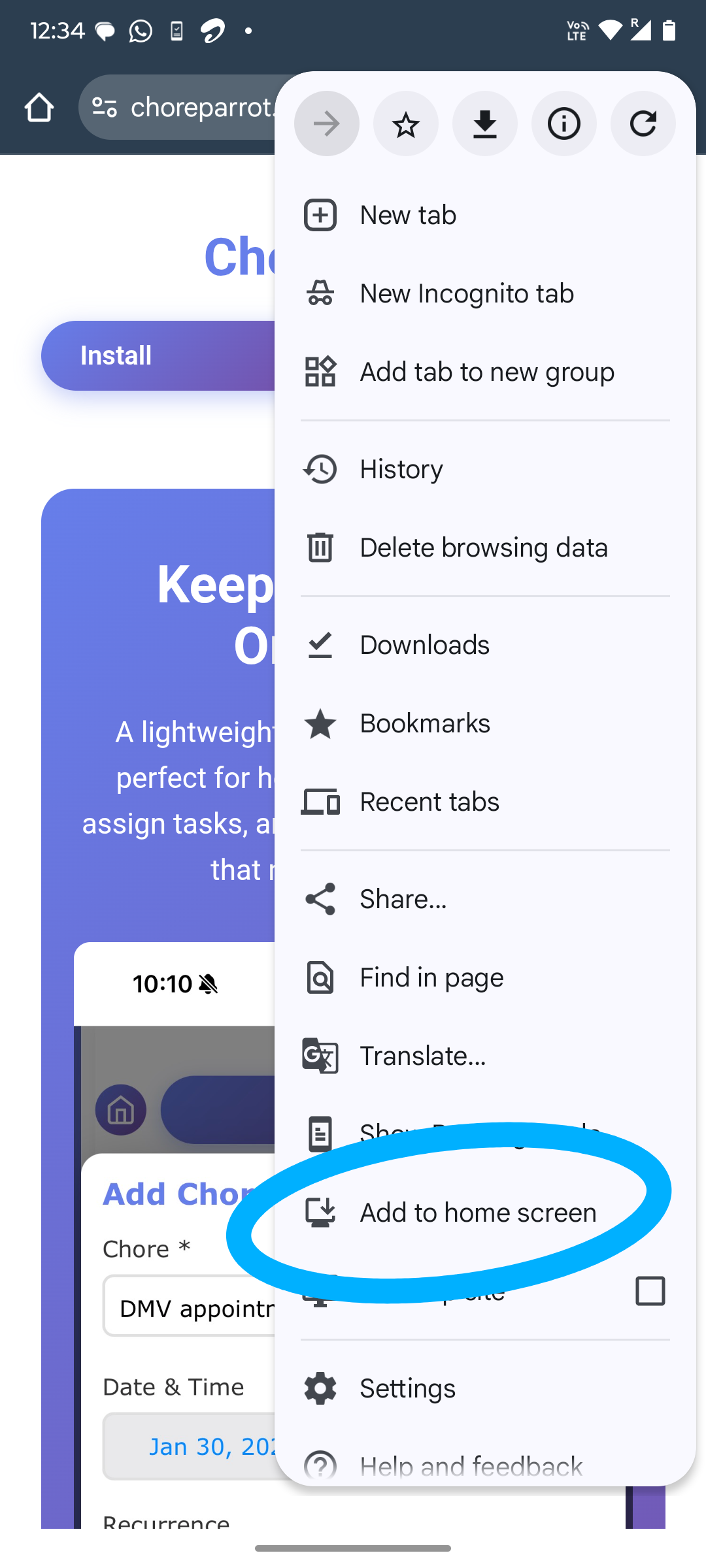
Select "Add to Home Screen"
Tap the three-dot menu icon in the top right corner of Chrome (or bottom right on some devices). In the menu, look for "Add to Home screen" option and tap it.
Confirm Installation
A popup will appear asking you to confirm. Tap "Add" or "Install" to confirm.
Done!
Plan Parrot will now appear on your home screen and in your app drawer. Tap it to open the app anytime!
Note: Some Android browsers may show an "Install" banner at the top of the page. You can tap that banner instead of using the menu if you prefer.